
Migration · 8 min read
PHP upgrade checklist: how to upgrade PHP 7.4 to 8.x
A PHP upgrade checklist for moving from PHP 7.x to 8.x, which is a code change, not a hosting setting. Here is what breaks, which framework versions to line up first, the order to test in and how to keep a one-click way back.
Updated 16 November 2026 · GoDesign build team
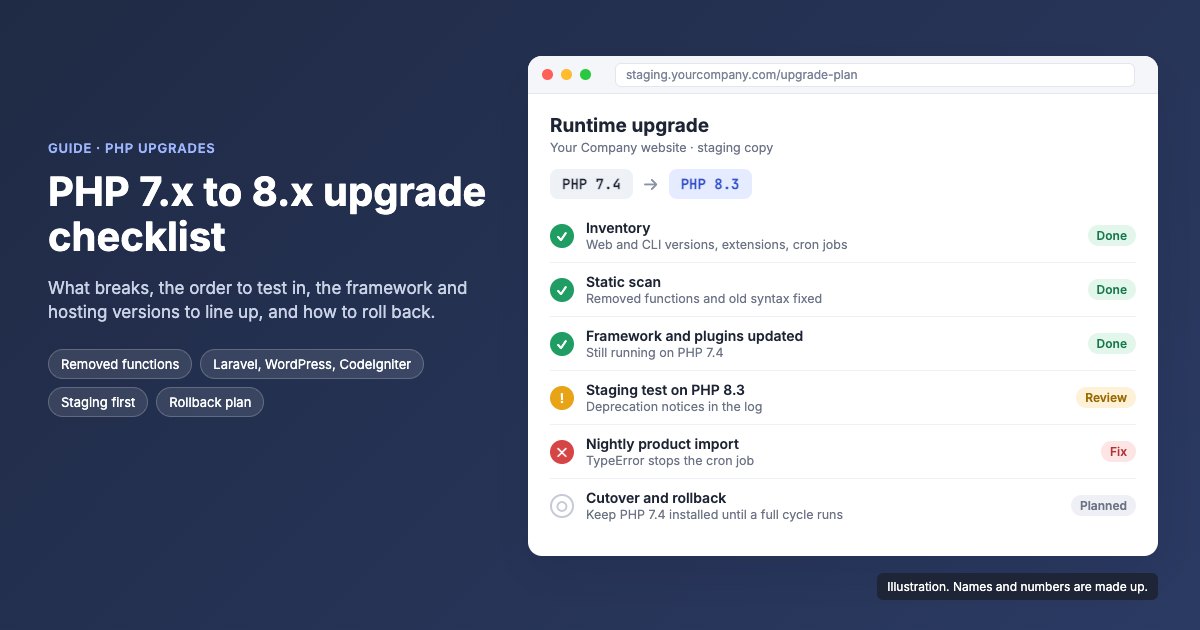
The short version
- PHP 7.4 stopped getting security fixes in November 2022. Aim for a PHP 8 version that is still supported, usually 8.3 or 8.4 today.
- Three things break: code PHP 8 removed, warnings that are now fatal errors, and comparisons that quietly give a different answer.
- Update the framework, CMS and plugins while still on PHP 7, then test a staging copy on PHP 8 in a fixed order, money paths and background jobs early.
- Keep the old PHP version installed and your fixes compatible with it, so rolling back is one setting rather than a restore.
Upgrading PHP from 7.x to 8.x is a code change, not a settings change. The switch in your hosting panel takes a minute. What happens next depends on how much of your code, plugins and libraries still rely on behaviour PHP 8 removed. The safe order is: list what you run, pick a supported target, scan the code, update the framework and plugins while still on PHP 7, test a staging copy on the new version in a fixed order, then switch the live site with the old version still installed so you can switch back.
This PHP upgrade checklist covers a runtime upgrade on the same site. If you are also moving to a new server or host, the migration checklist covers the DNS, email and redirect side.
PHP 7.4 end of life: why upgrade now?
Because PHP 7 no longer gets security fixes. PHP 7.4, the last 7.x release, reached end of life in November 2022, and PHP 8.0 followed a year later. A site on either runs code that nobody patches when a new hole is found.
PHP 8.1 stopped receiving security fixes at the end of 2025, and 8.2 runs out at the end of 2026. So the realistic target today is 8.3 or 8.4, whichever your host and your framework both support. Check the dates on the supported versions page at php.net before you choose.
The other pressure is your host. Hosts retire old PHP versions on their own schedule, and a forced switch on a date you did not pick is the worst way to find out what breaks.
PHP 8 breaking changes: what breaks when you upgrade from 7.x?
Three kinds of thing break: code that no longer runs at all, code that now stops where it used to carry on, and code that runs but gives a different answer. The third kind is the dangerous one, because nothing appears in the log.
| Change | From | What you see |
|---|---|---|
| each(), create_function(), money_format() and other old functions removed | 8.0 | Fatal error: call to undefined function |
| Curly-brace string offsets ($s{0}) and nested ternaries without brackets | 8.0 | The file will not compile, so the page is blank |
| Built-in functions throw on bad input, for example count(null) | 8.0 | A TypeError where 7.x gave a warning and carried on |
| Division by zero | 8.0 | A DivisionByZeroError instead of a warning |
| 0 == "abc" is now false | 8.0 | Nothing. The code takes a different branch |
| Methods named after their class no longer act as constructors | 8.0 | Nothing. Objects come back half set up |
| curl and GD return objects, not resources | 8.0 | is_resource() checks fail, so code thinks the connection failed |
| PDO (8.0) and mysqli (8.1) throw exceptions by default | 8.0, 8.1 | A failed query stops the page instead of returning false |
| Passing null to built-in string functions | 8.1 | Deprecation notices, often hundreds |
| Dynamic properties on classes | 8.2 | Deprecation notices from older models and plugins |
| Parameters typed Type $x = null without a ? | 8.4 | Deprecation notices |
The quiet changes need tests of their own. A login check, discount rule or status filter that compares 0 with a text value using == now takes the other branch, with no error at all. An old class whose constructor is a method named after the class is simply never set up.
Which Laravel, WordPress and CMS versions support PHP 8?
Older framework releases do not run on PHP 8, so you need the version that does before you touch the server. Often the PHP upgrade is really a framework upgrade.
- Laravel: Laravel 9 is the first release that needs PHP 8.0, Laravel 10 needs 8.1, and Laravel 11 and 12 need 8.2. Laravel 8 runs on both PHP 7.4 and 8.0, which makes it a useful stepping stone for an older app.
- WordPress: core has run on PHP 8 for several releases. The risk is plugins and themes, especially any not updated in the last year. Update everything while still on PHP 7.4 and replace abandoned plugins first.
- CodeIgniter 3: move to the last 3.1 release first. On PHP 8.2, models and libraries that set properties on the fly raise dynamic property deprecations. CodeIgniter 4 is a rewrite, so moving to it is a rebuild, not an upgrade.
- Magento 2: each 2.4.x release supports specific PHP versions, so a PHP upgrade usually means a Magento upgrade, with every extension checked against it.
- Joomla 3: it reached end of life in August 2023. Getting onto a current PHP version means moving to Joomla 5, which needs PHP 8.1 or later, by way of Joomla 4.
- Anything installed with Composer: run composer why-not php 8.3 to list every package that blocks your target version, then update or replace those first.
Should you upgrade straight to PHP 8.3 or one version at a time?
Straight to the target, for PHP itself. Stopping at 8.0 or 8.1 means testing twice to land on a version that no longer gets security fixes. A staging copy on the target version shows the problems from every release in between in one log.
The framework is different. It often has to move one major version at a time, because each release has its own upgrade steps and database changes. An old Laravel app, for example, can go to Laravel 8 on PHP 7.4 first, then switch PHP, then carry on up the Laravel versions. Plan those steps as separate releases, each tested and live before the next.
The PHP upgrade checklist: what order should you test in?
Test in the order that limits damage: prove the site loads, protect the paths that take money and data, then check everything that runs when nobody is watching.
- Inventory what you run. Note the PHP version for the website and for the command line (they are often different), the extensions loaded, every cron job, and any plugin encoded with ionCube or a similar tool.
- Pick the target: a version that still gets security fixes, that your host offers and that your framework accepts.
- Scan the code. PHPCompatibility for PHP_CodeSniffer and a Rector dry run find removed functions and old syntax quickly. They will not find the comparison changes above, which is why you still test.
- Update the framework, CMS and plugins on your current PHP version, release that on its own and let it settle. One change at a time means one place to look when something fails.
- Build a staging copy on the target version with the same extensions and a recent copy of the database. Set error_reporting to E_ALL, log errors to a file and turn display_errors off.
- Run the test list below from the top, and stop at the first failure.
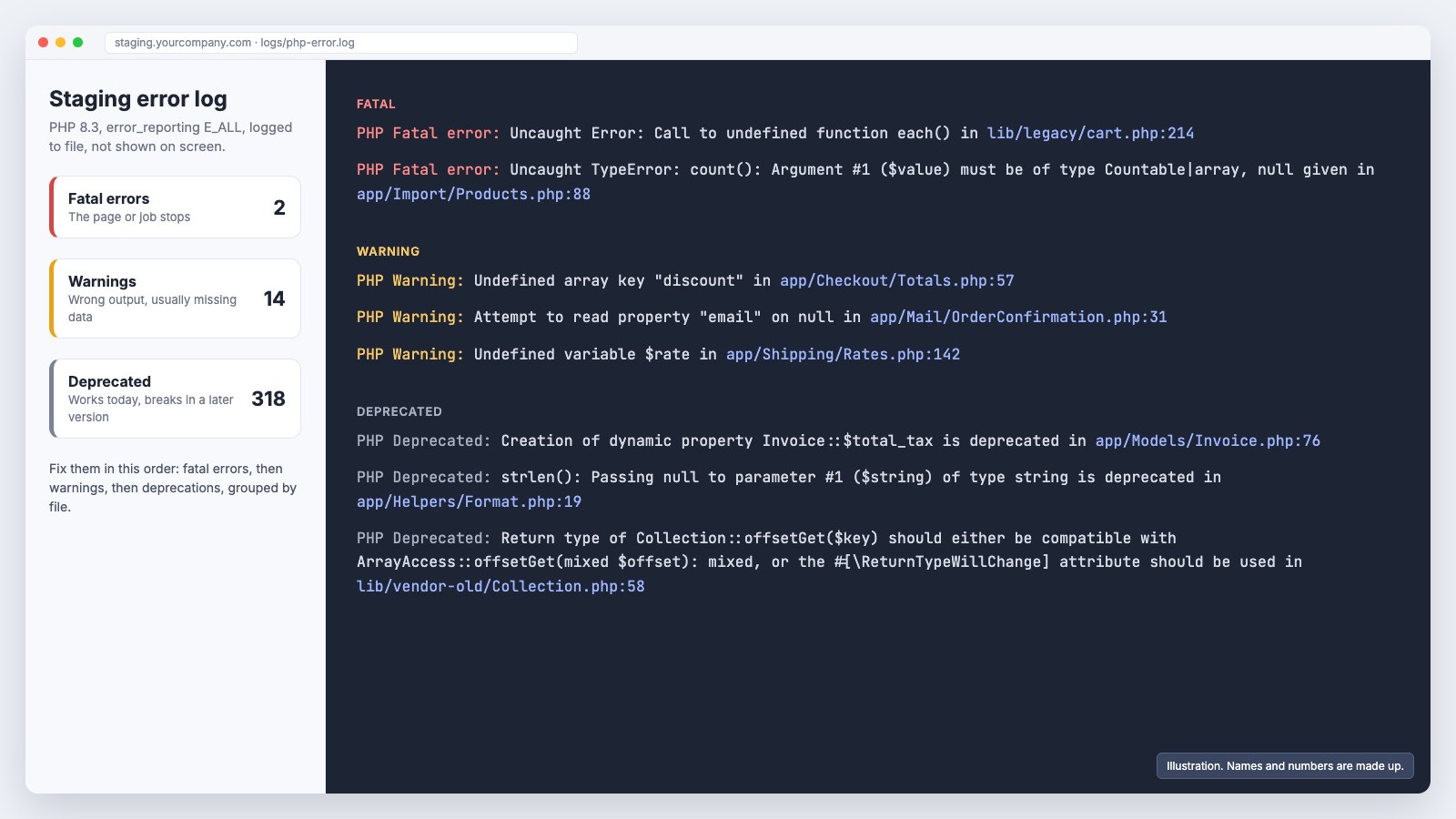
- Read the log: fatal errors first, then warnings, then deprecations, grouped by file.
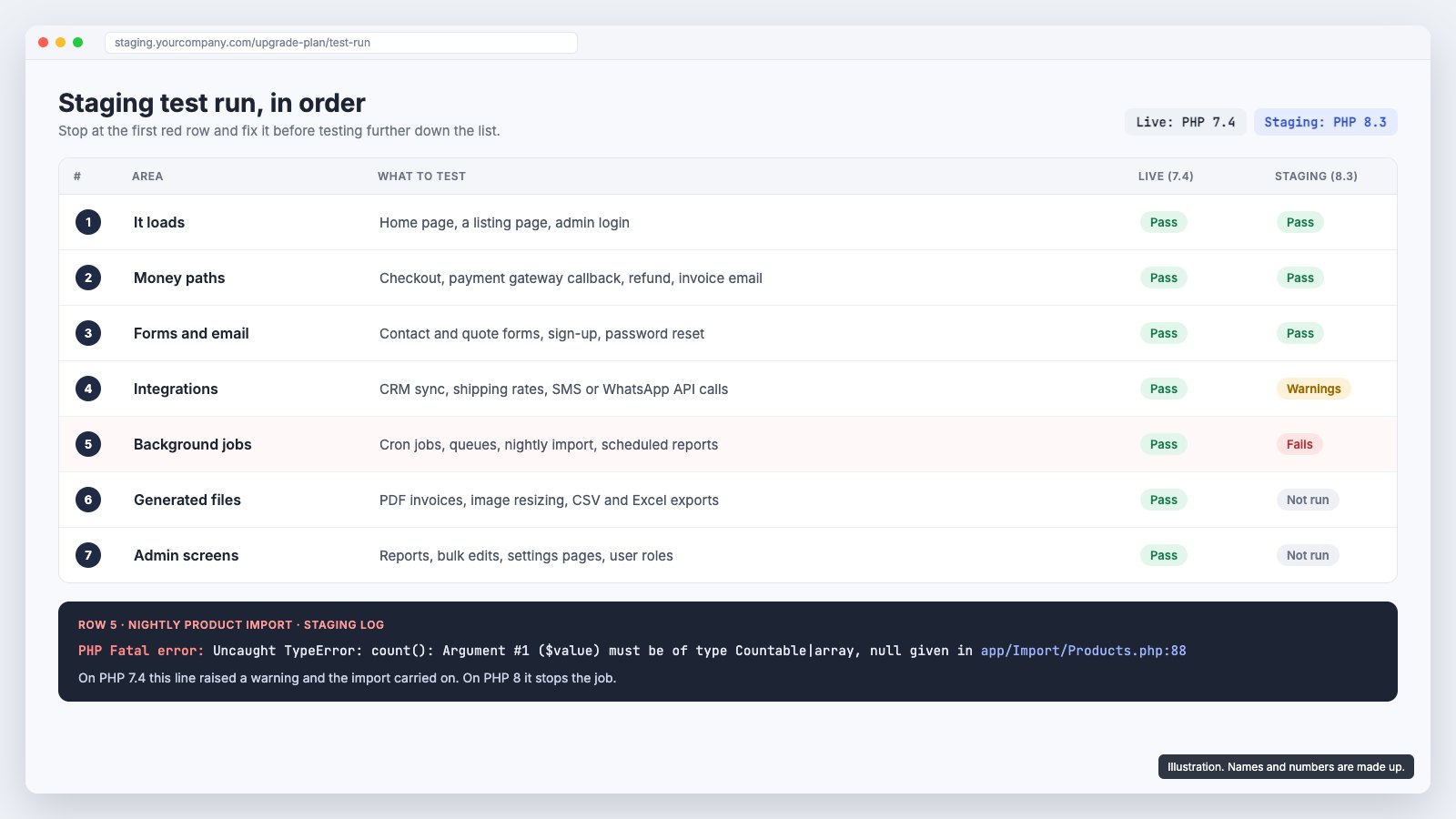
| Order | Area | What to try |
|---|---|---|
| 1 | It loads | Home page, a listing page, admin login |
| 2 | Money paths | Checkout, payment gateway callbacks, refunds, invoice emails |
| 3 | Forms and email | Contact and quote forms, sign-up, password reset |
| 4 | Integrations | CRM sync, shipping rates, SMS and WhatsApp API calls, anything using curl or SOAP |
| 5 | Background jobs | Cron jobs, queues, imports, scheduled reports |
| 6 | Generated files | PDF invoices, image resizing, CSV and Excel exports |
| 7 | Admin screens | Reports, bulk edits, settings, user roles |
Background jobs and generated files are the ones that tend to fail late, because nobody clicks on them. An import that used to log a warning and carry on can stop dead on PHP 8, and you find out when the stock levels are wrong the next morning.
How do you change the PHP version on your hosting safely?
Switch it per site in the hosting panel, then check the parts the switch does not move for you: cron, extensions and settings.
- The version is set per site. In cPanel's MultiPHP Manager, or your host's equivalent, check that every domain and subdomain moved, including staging and API subdomains.
- The command-line version for cron. Switching the website does not always switch the php binary your cron jobs call, so point them at the new version explicitly.
- Extensions. Each PHP version has its own list. Confirm the ones your code needs, often intl, gd or imagick, mbstring, soap, zip and sodium, are enabled on the new one.
- Settings. memory_limit, upload_max_filesize and max_execution_time are often set per version, so a value you raised years ago may be back at the default.
- Encoded plugins. Files encoded with ionCube or similar need a loader for the new version, and sometimes a new build from the vendor.
- Caches. Restart PHP-FPM or clear OPcache after the switch, so you are not testing old compiled code.
How do you roll back a PHP upgrade?
Plan the way back before you switch. The aim is that rolling back is one setting, not a restore from backup.
- Keep the old PHP version installed until the new one has run a full cycle: every weekly job, a month-end report, a billing run.
- Write fixes that run on both versions where you can. Then rolling back is switching the version back in the hosting panel.
- Where that is not possible, for example when updated Composer packages need PHP 8.2, keep the previous release ready to redeploy with the old version.
- Back up the database right before the switch. Framework updates often change it (the WordPress database update, Laravel migrations, Magento's setup upgrade), and switching PHP back does not undo that.
- Agree the rollback trigger in advance, such as checkout failing or payment callbacks erroring, and who makes the call, so nobody debates it at midnight.
Switch the live site in a quiet period, run the same seven tests on it straight away and watch the error log closely for the first two days. Anything new in the log after go-live is next week's fix list.
When should a PHP developer handle the upgrade?
When the scan turns up code nobody on your side wrote, packages that have been abandoned, or a framework several major versions behind. At that point the upgrade is development work, and pricing it needs someone to read the code.
Our PHP team upgrades and maintains Laravel, WordPress and custom PHP sites, and builds new Laravel apps like the two below.
Send us the site address, the current PHP and framework versions if you know them, and what the site connects to. We reply with a written, scoped quote.
Questions people ask
Will my website break if I upgrade from PHP 7.4 to PHP 8?
It may. Removed functions such as each() and create_function(), old syntax like $string{0}, and functions that now throw errors instead of warnings will stop a page or a job. A staging copy on the new version, tested in order, shows you which before your visitors find them.
Which PHP version should I upgrade to?
The newest version your host offers, your framework or CMS supports, and that still gets security fixes. At the time of writing that usually means PHP 8.3 or 8.4. Check the supported versions page at php.net for the current dates.
Can I jump straight from PHP 7.4 to PHP 8.3?
Yes, and it is usually better than stopping at 8.0 or 8.1, which no longer get security fixes. Test the jump on staging; the log shows problems from every version in between at once. The framework may still need to move up one major version at a time.
Can I switch back to PHP 7.4 if something goes wrong?
Yes, if the old version is still installed on the server and your code changes still run on it. Database changes made by a framework update during the upgrade are not undone by switching PHP, so back up the database right before the switch.
How do I check if my code is compatible with PHP 8?
Run PHPCompatibility for PHP_CodeSniffer and a Rector dry run against your target version, and composer why-not php 8.3 to list the packages that block it. Then test a staging copy on PHP 8, because the scanners miss changes such as 0 == "abc" now being false.
Does WordPress work on PHP 8?
WordPress core does. Plugins and themes are the risk, especially any that have not been updated recently. Update them on PHP 7.4 first, replace abandoned ones, then test on PHP 8 in staging.
How long does a PHP upgrade take?
It depends on how much custom code there is and how many packages need replacing. An up-to-date WordPress site with maintained plugins is mostly testing. An older custom app with abandoned libraries is a development project. Scanning the code first is what turns a guess into an estimate.
Built by GoDesign FZE, who build WhatsApp and CRM automation for UAE businesses.
Get in touch
Want someone to just do this part?
The tool is free and stays free. If you would rather hand the work over, tell us what you are dealing with and you get a straight answer on scope, cost and timeline.
- You own everythingRepository, hosting and domain credentials sit in your name from day one, not handed over at the end.
- A written timelineMilestone dates are agreed in writing before work starts, so you always know what ships next.
- One business dayEvery enquiry gets a reply from the person who would scope the work, not a sales sequence.
Media City, Dubai, UAE · DHA Phase 2, Islamabad, Pakistan
Would rather type than fill in a form?
Message on WhatsApp